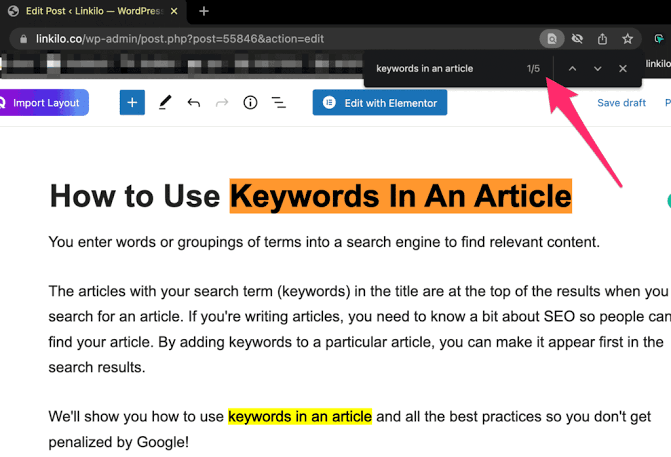
How To Use Keywords In Word
How To Use Keywords In Word. Using the right keywords in your content helps people find your writing online. Whether you are writing a blog, article, or report, placing keywords properly makes. Your work is more useful for both readers and search engines.
This guide will show you how to use keywords in Microsoft Word for better results.
What are the Use Keywords In Word
Keywords are the words or phrases people type into search engines. When looking for something. For example, if someone searches for “easy pasta recipe,” that is a keyword.
Adding these words to your document helps make it easier to find and understand.
Why keywords matter
Keywords help search engines know what your content is about. If you use the right keywords in your document, your content can rank better online. It also helps readers quickly understand your topic.
Keywords are a big part of SEO (Search Engine Optimization).
Where to use keywords in Word
There are several good places in your Word document to use keywords:
Title of the document
Use your main keyword in the title. This shows right away what your content is about.
Example: “Healthy Breakfast Ideas for Kids”
First paragraph
Include your keyword early in the text. Try to add it in the first 100 words. This helps readers and search engines understand your topic quickly.
Headings and subheadings
Use keywords in your H1, H2, or H3 headings. This organizes your content and highlights your topic clearly.
Body of the content
Sprinkle the keyword naturally throughout your writing. Don’t use it too much. The content should still sound normal and easy to read.
Image names and captions
If you insert images, you can add the keyword to the file name and write a caption that includes it.
Alt text: Use Keywords in Word.
When using an image, add alt text that includes the keyword. This helps with SEO and makes your document more accessible.
How to find good keywords
You can use free tools like Google Keyword Planner. Use Ubersuggest or Answer The Public to find the best keywords. Choose words that people search for often but are not too competitive.
Pick simple and clear keywords that match your content.
Tips to remember: Use Keywords in Word
-
Use your keyword in the title and first paragraph
-
Keep your writing simple and useful
-
Don’t overuse keywords—keep it natural
-
Check spelling and grammar
-
Make sure your keyword fits your topic well
Conclusion
Using keywords the right way in Word can make your content more powerful. It helps your writing get noticed online, keeps readers interested. And improves your chances in search results. Start by finding the right keywords, then use them in the title, headings, and throughout the text. Keep it simple, clear, and helpful. This small step can lead to big results.
Follow us on Instagram and Facebook. For More Products, visit our Website.