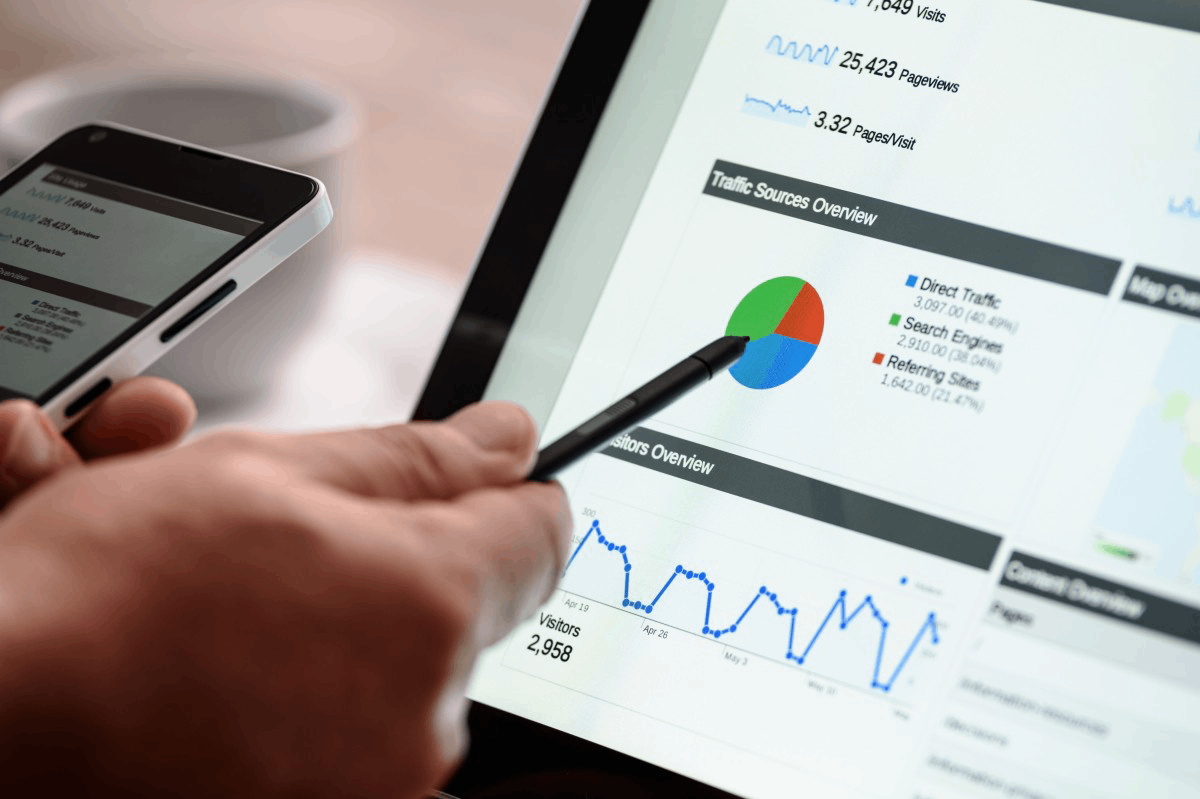
Tag: Pages Ranking on Google but Getting Zero Clicks

  • Pages Ranking on Google but Getting Zero Clicks? 7 Fixes That Actually Work

    Pages Ranking on Google but Getting Zero Clicks? 7 Fixes That Actually Work

    Pages Ranking on Google but Getting Zero Clicks (7 Fixes That Work)

    If your pages are ranking on Google but getting little to no clicks, you’re not alone.
    This is one of the most common SEO problems in 2025–2026, especially after Google’s AI-driven updates.

    The frustrating part?
    You did everything “right” — keywords, content, backlinks — yet traffic is flat.

    Let’s break down why this happens and the 7 proven fixes that actually increase clicks.

    Pages Ranking on Google but Getting Zero Clicks
    Pages Ranking on Google but Getting Zero Clicks

    Why Pages Rank but Don’t Get Clicks

    Ranking means Google understands your content.
    Clicks mean users choose your result.

    Today, rankings alone are not enough because:

    • Google AI Overviews answer questions directly
    • Search results are more competitive visually
    • User intent has changed

    The good news?
    You can fix this without rewriting everything.


    ✅ Fix #1: Rewrite Your Title for Clicks, Not Just Keywords

    Most titles are written for Google — not humans.

    ❌ Bad example:

    SEO Tips for Business Websites

    ✅ Better example:

    Ranking but No Traffic? Fix These SEO Mistakes Today

    What works now:

    • Curiosity
    • Pain points
    • Clear benefit

    👉 Titles should make users feel something.

    If you’re unsure how to craft click-worthy titles, our SEO optimization services can help refine them for higher CTR:
    🔗 https://boostersmarketingagency.com/product-category/services/

    Pages Ranking on Google but Getting Zero Clicks
    Pages Ranking on Google but Getting Zero Clicks

    ✅ Fix #2: Optimize Meta Descriptions Like Mini Ads

    Google often uses your meta description as a decision trigger.

    Use this structure:

    • Identify the problem
    • Promise a solution
    • Add urgency

    Example:

    Your page ranks but gets no clicks? Discover 7 proven fixes to boost CTR and traffic—without losing rankings.

    Even if Google rewrites it, optimized descriptions still influence click behavior.


    ✅ Fix #3: Match Search Intent (This Is Huge)

    Ranking ≠ matching intent perfectly.

    Ask yourself:

    • Is the user looking to learn, compare, or buy?
    • Does my page solve the problem quickly?

    If your content is informational but users want a solution, they’ll skip it.

    👉 Example:
    An ecommerce store like Fashionholic focuses on product-driven intent, not just informational content:
    🔗 https://fashionholic.pk/

    Intent alignment increases clicks instantly.


    ✅ Fix #4: Add Rich Snippet Opportunities

    Your result needs to stand out visually.

    Optimize for:

    • FAQs
    • Lists
    • How-to steps
    • Schema markup

    These can trigger:

    • FAQ dropdowns
    • Featured snippets
    • Enhanced results

    This is especially important now that AI pushes traditional results down.


    ✅ Fix #5: Improve URL & Breadcrumb Readability

    Users scan URLs before clicking.

    ❌ Bad:

    /post?id=83920

    ✅ Good:

    /pages-ranking-but-no-clicks

    Clean URLs = higher trust = more clicks.

    Also ensure breadcrumbs are enabled for better SERP appearance.


    ✅ Fix #6: Add Proof, Authority & Brand Signals

    Users trust brands, not just rankings.

    Boost trust by:

    • Mentioning real examples
    • Linking relevant resources
    • Showing expertise

    For example, ecommerce and wellness brands like:

    These signals subtly tell users: this content is legit.


    ✅ Fix #7: Target “Click-Friendly” Keywords

    Some keywords don’t generate clicks anymore.

    Avoid:

    • Generic “what is” queries
    • Fully answered AI questions

    Target instead:

    • “Why” queries
    • “Fix” queries
    • “Still not working” phrases

    👉 This blog itself is a perfect example:
    “Pages Ranking on Google but Getting Zero Clicks”
    High pain, high intent, high CTR.

    Pages Ranking on Google but Getting Zero Clicks
    Pages Ranking on Google but Getting Zero Clicks

    Bonus Tip: Internal Linking Increases Click Value

    Internal links:

    • Improve engagement
    • Pass relevance
    • Guide users deeper

    Make sure to link:

    This turns clicks into conversions.


    Final Thoughts

    If your pages are ranking but getting zero clicks, the problem is not SEO failure — it’s SERP behavior change.

    Focus on:
    ✔ Click psychology
    ✔ Intent matching
    ✔ Visual appeal
    ✔ Trust signals

    Pages Ranking on Google but Getting Zero Clicks
    Pages Ranking on Google but Getting Zero Clicks

    That’s how you win traffic in the AI search era.

    For ongoing SEO insights and updates, follow Boosters on:


Follow by Email
Facebook
Instagram